
Home

Article Signal

Main navigation

  • Home
  • Categories
    • Fashion & Beauty
    • Home & Garden
    • Automotive
    • Travel
User account menu
  • Contact
  • Log in

Breadcrumb

  1. Home
  2. Software, Internet & IT
  3. Why Waze Does Not Have Custom Skins Yet

Why Waze Does Not Have Custom Skins Yet

Why Waze Does Not Have Custom Skins Yet

Waze lets you drive as a cat, hear directions from a celebrity, and announce your mood to nearby users. Yet the map still wears the same basic clothes. The lack of Waze skins feels like finding a party host who owns one shirt.

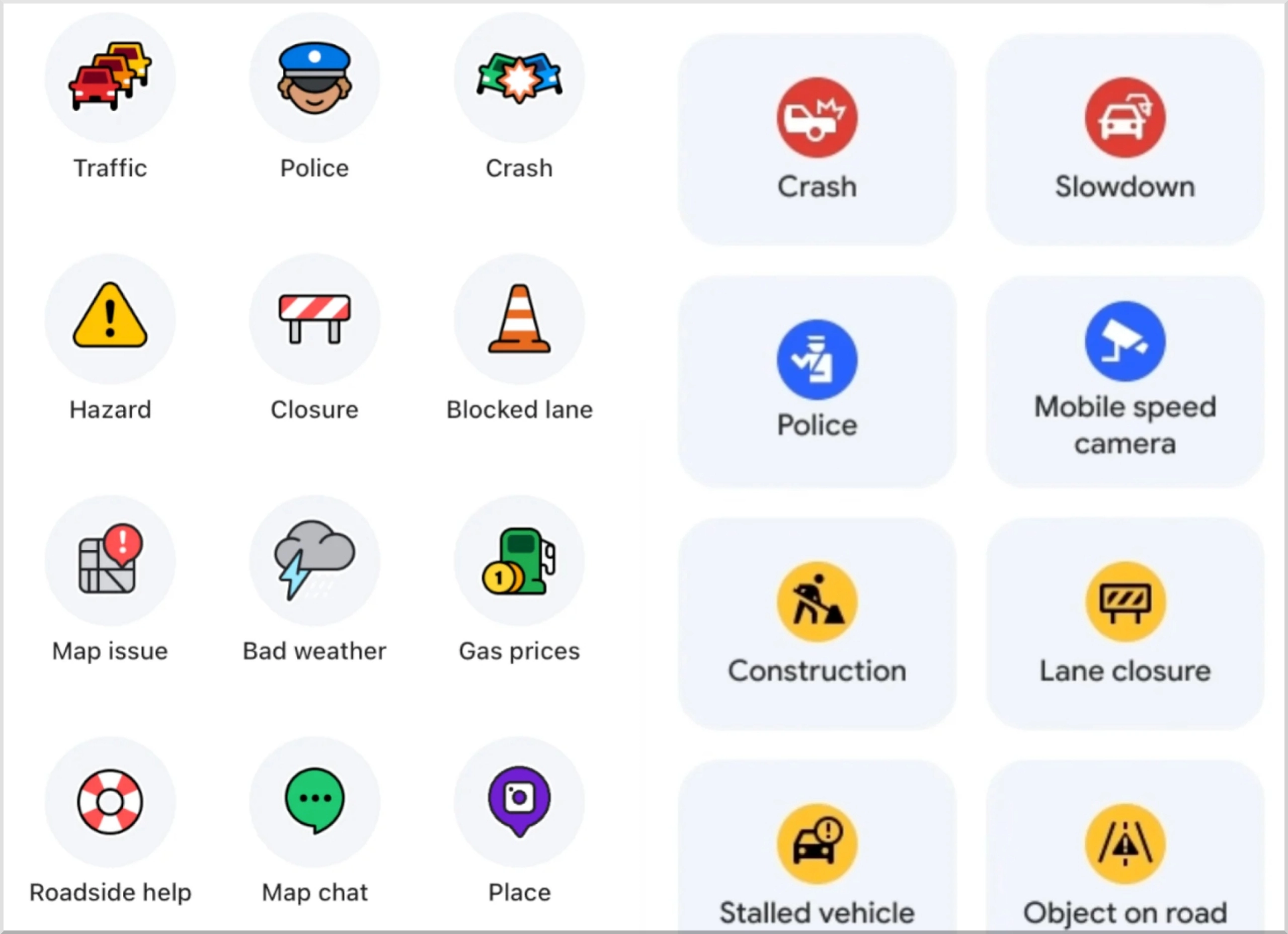
The omission also confuses users. Waze calls some add-ons themes, but those packs change voices, moods, and car icons rather than the full visual experience. Drivers who want softer colors, clearer roads, larger labels, or a dashboard-friendly palette still have no official tool for the job.

Why does Waze skip full skins? The company has not published a direct explanation. Safety, technical upkeep, car-screen rules, and quality control offer the most credible answer. They also show how Waze could add skins without creating a glitter-covered guessing game.

Waze Themes and Waze Skins Mean Different Things

A theme groups cosmetic extras around an idea, character, artist, or campaign. Waze calls these special driving experiences. A pack may include a guest voice, mood, and car icon.

A skin reaches much deeper. It changes the map palette, road appearance, label treatment, buttons, panels, icons, and sometimes spacing. A true skin could make Waze resemble a clean road atlas, a high-visibility dashboard, or a muted late-night display.

That distinction explains why searches for custom Waze map colors rarely solve the problem. Official settings offer personal touches, but they stop before full visual control.

Waze optionOfficial supportWhat it changes
Dark modeYesLight or dark map appearance
Car iconsYesThe vehicle marker only you see
MoodsYesThe avatar nearby Waze users see
Voice directionsYesSpoken guidance
Special driving experiencesYesSelected voices, moods, and car icons
Full map skinsNoRoad colors, labels, map layers, and controls
User-made interface skinsNoThe complete visual design

Why Does Waze Not Have Skins?

The answer starts with Waze's job. A music app can paint every button neon purple with little consequence. A driving app displays turns, closures, traffic, hazards, and speed limits while the user controls a moving vehicle. Pretty can never beat readable.

Safety Depends on Fast Recognition

Drivers learn a map through repetition. A route line looks one way. Heavy traffic looks another. A closure needs immediate visual weight. Consistent colors and symbols help the brain sort that information during a brief glance.

Free editing could weaken those cues. A user might pick road and traffic colors that look nearly identical. Another skin could bury hazard or closure reports. A fashionable palette may look lovely on a sofa and fail badly in bright sun.

US driver-distraction guidance asks designers to limit eyes-off-road time. It uses two seconds as a target ceiling for a single glance. That turns every color, icon, and label into a safety choice.

Every Skin Creates a Large Testing Burden

Waze runs on many phones, operating-system versions, and vehicle displays. Drivers also face hard sunlight, rain, tunnels, and darkness. Add right-to-left scripts, long place names, and several resolutions, and one skin quickly creates hundreds of test cases.

Each app update adds another round. A new alert icon may disappear against an old palette. A wider instruction panel may cover a custom label.

Waze controls its standard appearance, so its team tests a known set of combinations. Open skins would multiply visual bugs and support requests.

Android Auto and CarPlay Add Their Own Rules

Many drivers use Waze through Android Auto or Apple CarPlay. Car systems place strict limits on legibility, button behavior, and visual attention.

Google's driving design guidance asks for a black background in many Android Auto views, restrained color use, and a minimum 4.5:1 luminance ratio between foreground elements and their background. Android car-app rules also require routing apps to supply light and dark maps when the system asks for them.

Apple uses controlled CarPlay templates. A phone skin may fail on a wide dashboard, portrait screen, or small instrument panel.

Waze would need separate tests for phones, Android Auto, Android Automotive, and CarPlay. That makes a simple color picker surprisingly expensive.

User Uploads Bring Legal and Security Problems

An official skin gallery would invite copied artwork, offensive images, and fake safety symbols. Waze would need moderation, reporting, removal rules, and appeals.

Some Android users edit internal Lua files to change map colors. Current methods may require root access, and a small error can leave the map black or unreadable.

Waze gains little by encouraging drivers to alter protected app files. Controlled design packs give the company far fewer legal, technical, and security problems.

Routing Features Win Product Time

Waze earns loyalty through incident reports, traffic-aware routing, closure data, and quick rerouting. Improvements there help nearly every driver. Full skins serve a smaller group and demand constant testing.

Skins still have value, but routing teams may place them behind work tied to arrival times and road awareness. Product backlogs rarely reward the cutest screenshot.
Image gallery
Waze
Waze

Why Waze Should Have Skins

Waze does not need a free-for-all marketplace. It needs a small, carefully tested set of official Waze customization profiles.

Better Accessibility Could Help More Drivers

Dark mode solves one lighting problem. Some users struggle to separate red from green. Others read thicker roads or larger labels faster. Drivers with low vision may prefer fewer secondary details.

Useful presets could include:

  • A high-visibility map with larger labels and thicker route lines
  • Color-vision profiles that separate traffic states through color and pattern
  • A minimal map that hides low-value decorative details
  • A glare-reduced night profile with softer whites
  • A large-screen profile for wide dashboard displays

Practical profiles should come first. Fun packs could follow.

Drivers Already Want the Feature

Requests for editable map colors appeared in Waze discussions years ago. Newer threads still describe rooted Android phones and manual Lua edits. That persistence signals a real gap, though it does not prove mass demand.

An official system could remove the temptation to install modified app packages or change protected files. When customers keep building a risky side door, a well-made front door looks sensible.

Personalization Fits Waze's Character

Waze already uses moods, playful vehicle icons, guest voices, and themed experiences. Visual profiles would extend an idea the app already understands.

A clean monochrome map could please drivers who dislike the cartoon look. A retro road-atlas option could suit Waze's playful side without altering hazard or traffic meanings.

People return to tools that feel comfortable and familiar. A chosen map profile may sound minor, but drivers see it during every commute.

What a Safe Waze Skin System Should Look Like

Waze should begin with curated presets. The first release could focus on accessibility, display comfort, and map density. Each profile should pass phone and car-screen tests.

The table below ranks several options by user value and product risk.

Skin typeMain benefitProduct riskLaunch order
High visibilityFaster readingLowFirst
Color-vision profilesClearer traffic statesLowFirst
Minimal mapLess visual clutterLow to mediumFirst
Road-atlas styleFamiliar map readingMediumLater
Dashboard color packsCabin personalizationMediumLater
Open creator uploadsMaximum choiceHighLast, if ever

Seven Rules Would Keep Skins Useful

  1. Protect safety colors. Users should never change core route, closure, hazard, or urgent-alert meanings.
  2. Lock setup while driving. Let people choose, preview, and edit profiles only while parked.
  3. Pair every profile with day and night versions. The app should switch them automatically when lighting changes.
  4. Test every preset on car displays. Phone approval alone does not cover Android Auto, CarPlay, or built-in systems.
  5. Use patterns as well as colors. Traffic states should remain readable for drivers with color-vision differences.
  6. Offer instant reset. One tap should restore the standard Waze appearance.
  7. Sync choices across devices. A user's approved profile should follow the account when each display supports it.

Pro-Tip: Call Them Map Profiles

'Skin' suggests decoration. 'Map profile' signals a controlled viewing option built around clarity. It also separates visual presets from Waze's entertainment themes.

Image gallery
Waze
Waze

Can You Install Custom Waze Skins Now?

Waze provides no supported way to install full custom skins. Old guides point to internal files, may require root access, may fail after updates, and may leave the map unreadable.

Use the supported controls instead:

  1. Open Waze and tap the menu.
  2. Go to Settings, then Map display.
  3. Choose dark mode and a car icon.
  4. Open a special driving experience from the menu when one appears in your region.
  5. Change the guidance voice through the sound or voice settings.

Drivers can send product feedback through Waze's official suggestion channel. Ask for curated, safety-tested map profiles and name the need: high visibility, color-vision support, minimal map detail, or dashboard-friendly night colors.

Waze Needs Useful Choice, Not Visual Chaos

Waze likely skips full skins because a driving map carries higher stakes than an ordinary app screen. Safety tests, car-display rules, upkeep, and cost push the product toward controlled visuals.

The gap still feels unnecessary. Waze has the personality and customization menu. It now needs tested Waze map profiles that improve readability, accessibility, and comfort without weakening road alerts.

For now, use dark mode, car icons, moods, voices, and special experiences. Then ask Waze for safer visual choice built for the road.

Category

  • Software, Internet & IT

Country

  • United States

Tags

  • Waze custom skins
  • Waze map skins
  • custom Waze map colors
  • Waze customization options
  • Waze map profiles
  • Waze themes
  • Accessibility settings
  • Waze dark mode
  • Android Auto
  • Apple CarPlay
  • Waze
  • Log in to post comments
Rine and Flo in a garden
By Article Signal, 4 August, 2026

More articles by this author

2026 Toyota RAV4 vs 2025 RAV4: Which One Should You Buy?

2027 Honda Forza 750: 58.6-hp Twin, DCT, and Fresh Matte Paint

69% of Americans Back Public Ownership of AI Companies

Latest articles

2026 Toyota RAV4 vs 2025 RAV4: Which One Should You Buy?

2026 Toyota RAV4 vs 2025 RAV4: Which One Should You Buy?

Why Waze Does Not Have Custom Skins Yet

Why Waze Does Not Have Custom Skins Yet

2027 Honda Forza 750: 58.6-hp Twin, DCT, and Fresh Matte Paint

2027 Honda Forza 750

69% of Americans Back Public Ownership of AI Companies

Public Ownership of AI Companies

Citroen e-Berlingo: The Practical Electric Family MPV

Citroen e-Berlingo

How To Plan A Cheap European City Break Without Tourist Trap Trouble

A Cheap European City Break Without Tourist Trap Trouble

Solo Weekend Trips That Do Not Feel Lonely: Easy Travel Ideas for Bored Adults

Solo Weekend Trips That Do Not Feel Lonely

Pagination

  • 1
  • Next page

Popular articles

How to Grow a Living Deer-Proof Hedge With Traditional Hedgelaying

How to Grow a Living Deer-Proof Hedge With Traditional Hedgelaying

69% of Americans Back Public Ownership of AI Companies

Public Ownership of AI Companies

Citroen e-Berlingo: The Practical Electric Family MPV

Citroen e-Berlingo

2027 Honda Forza 750: 58.6-hp Twin, DCT, and Fresh Matte Paint

2027 Honda Forza 750

Louis Vuitton Resort Collection 2026 Makes Summer Dressing Playful Again

Louis Vuitton Resort Collection 2026

Skirt Trend 2026: Mini, Pencil, and Midi Styles Rule Fashion Again

Skirt Trend 2026: Mini, Pencil, and Midi Styles Rule Fashion Again

Fort Langley Travel Guide: Why the Birthplace of British Columbia Still Deserves a Day Trip

Fort Langley Travel Guide: Why the Birthplace of British Columbia Still Deserves a Day Trip

Pagination

  • 1
  • Next page

Partners

Joli Girls
RSS feed

路 About us 路 Contact 路articlesignal.com 路 2026 路 Privacy Policy

Powered by Drupal